For MetaTrader 4 / 5
Automate the repetitive work of backtesting.
Switch symbols and test date ranges, select EAs and parameter files, and save reports—without repeating the same steps for every test. Backtest Kicker is a Windows tool that runs MetaTrader backtests in sequence, leaving you more time to review the results.
The free version can run up to two backtests per batch. All other features are the same as the paid version.

Are you spending too much time on test setup?
Whether you want to improve an EA or compare different conditions, each backtest usually means changing the EA, symbol, and date range, then checking when it is done before moving on. It adds up quickly.
For example, testing two EAs on USDJPY, EURUSD, and EURJPY means repeating the same setup steps multiple times.
- Run the first EA on USDJPY and wait for it to finish
- Switch to EURUSD and EURJPY and repeat the same setup
- Change to the second EA and run the three-symbol set again
Even six tests can become a repetitive routine.
Set the test conditions once. Run the batch automatically.
Backtest Kicker is a Windows application for MetaTrader 4 / 5 that runs multiple backtests in sequence. Once you register the patterns, there is no need to start each test manually.
- Switch EAs
- Switch symbols
- Change date ranges
- Load parameter (.set) files
- Save reports
Combine EAs, symbols, periods, and parameters to register dozens or even hundreds of test patterns.
Backtest time depends on the conditions, but it reduces the manual work of switching settings and starting tests.
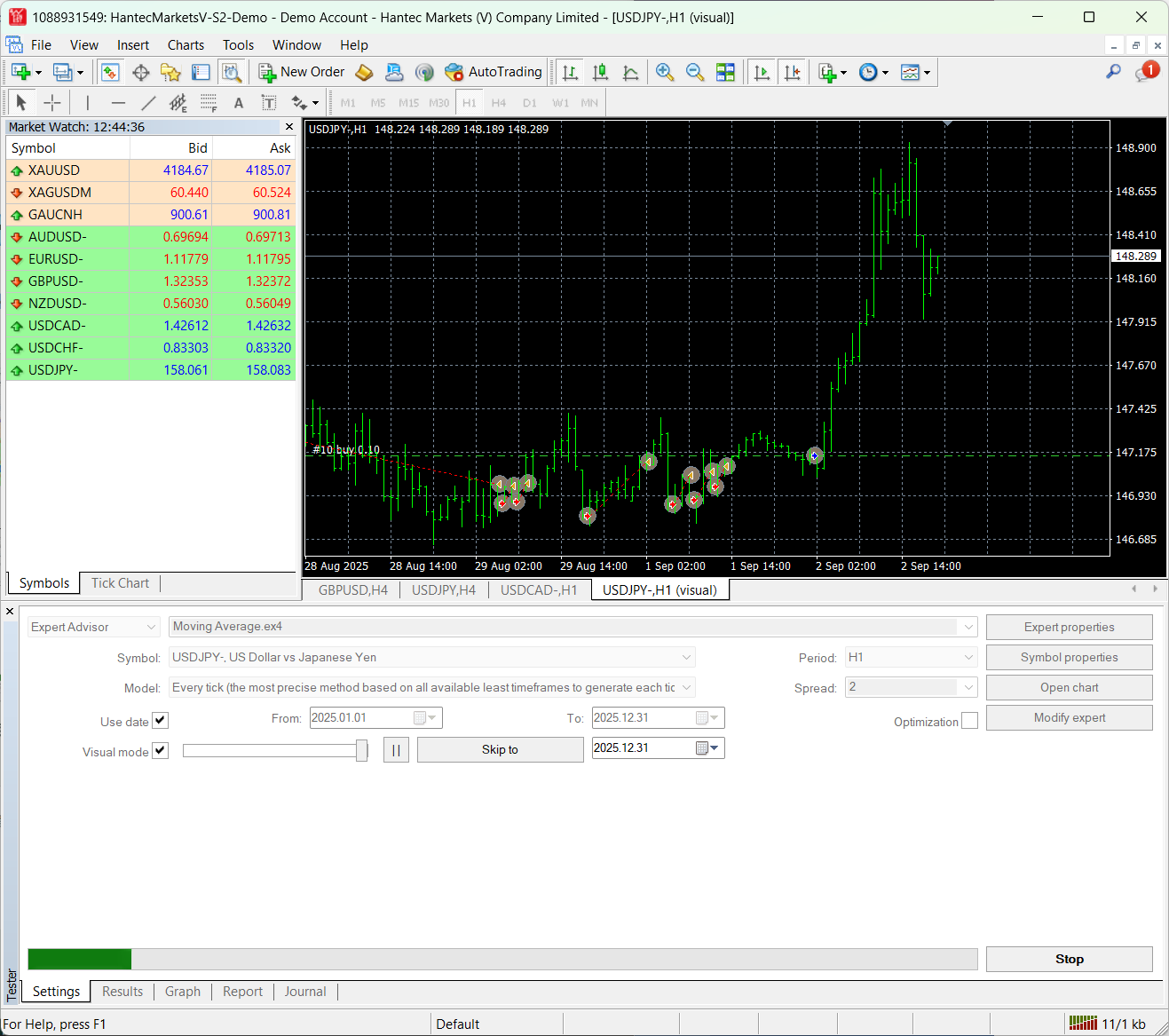
Check the setup screen and the backtest results
See a Backtest Kicker setup screen and an example backtest report generated by MetaTrader.
Register test conditions and run them in sequence
Backtest report example
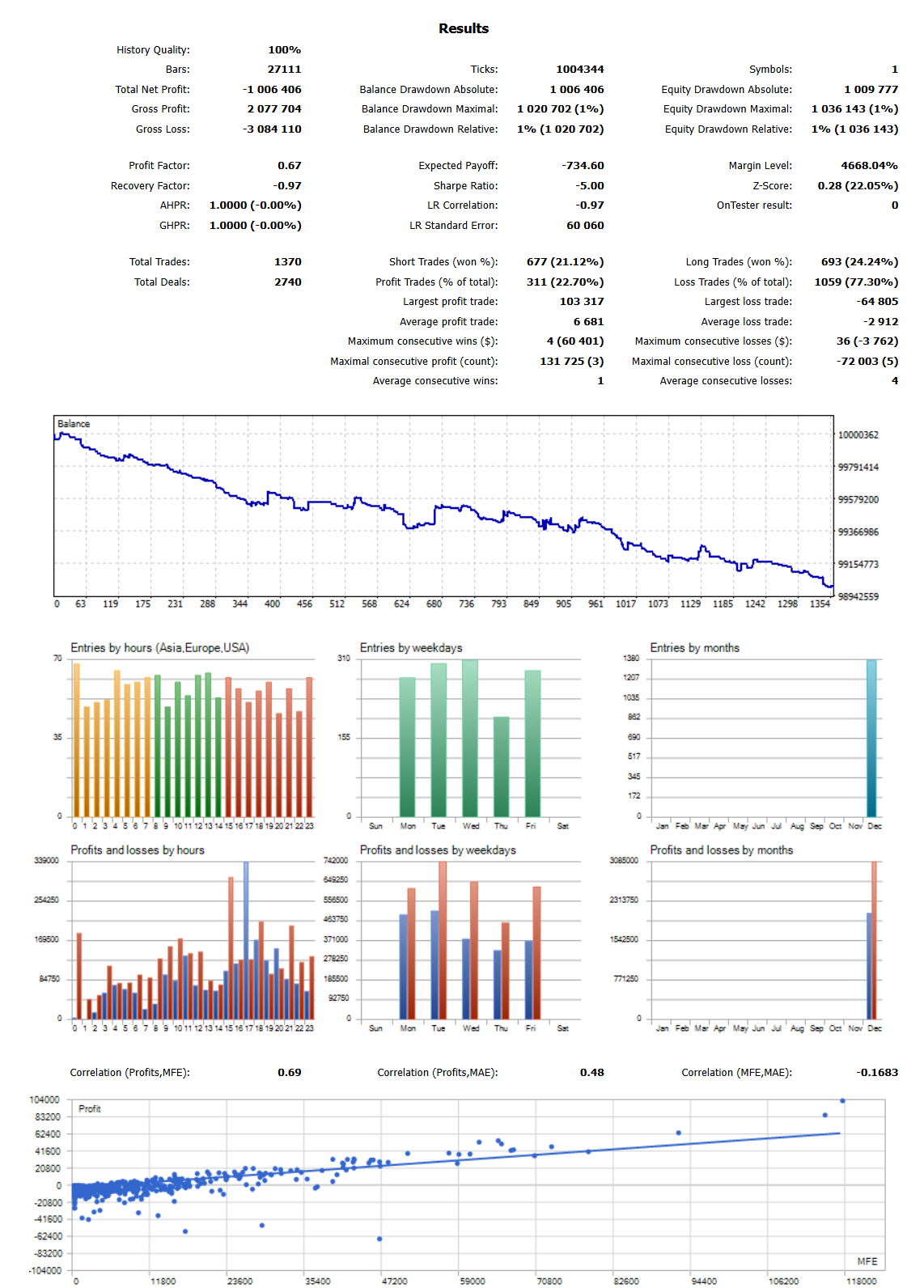
The figures shown are sample values under specific conditions and are not a guarantee or indication of future performance.
Reduce repetitive work and focus on analysis.
Automate test start operations
Once the conditions are set, you do not need to start each backtest one by one. You can use the waiting time for other work.
Reduce setup mistakes
Register test conditions in advance and reuse the same settings. This reduces hand switching and helps prevent mismatches.
Compare many combinations at once
Register combinations of EA, symbol, period, and parameters in one place. Even as your test conditions grow, they stay easier to manage.
Run tests overnight and review the results the next morning.
For example, a large batch such as 50 or 100 tests can be set up in advance and run in sequence overnight.
The next morning, you can review the finished reports and compare the outcomes before improving your logic.
Test → analyze → improve → retest. This cycle becomes smoother with Backtest Kicker.
The total runtime and number of completed tests vary with the EA, test conditions, and PC environment.
Compatibility and key features
- Works on Windows 10 / 11
- Supports MetaTrader 4 / MetaTrader 5
- Set test conditions in a screen similar to the Strategy Tester
- Edit settings in a spreadsheet-like view
- Import and export test settings as CSV files
- The free version can run up to two backtests per batch; all other features are the same as the paid version
See the product page for the full feature list and detailed instructions.
Automate the repetitive work of backtesting.
Start with the free version and try it in your usual MetaTrader environment.
The free version can run up to two backtests per batch. All other features are the same as the paid version.