Free Edition (MT4 / MT5)
For backtesting and testing on a demo account.
Download the Free EditionFor MT4 & MT5 | Multi-Symbol Trading + Automated Loss Exits
Averaging into positions is easy. Deciding when to cut a loss is the hard part. Octonion Wave combines grid-style entries, profit-taking, and rules-based loss exits in one Expert Advisor for MetaTrader 4 and 5. Configure multiple symbols, automate your decisions, and aim to build gains over time—with a plan for managing losses, too.
The free edition supports backtesting and demo-account trading. A paid edition is required for live accounts.
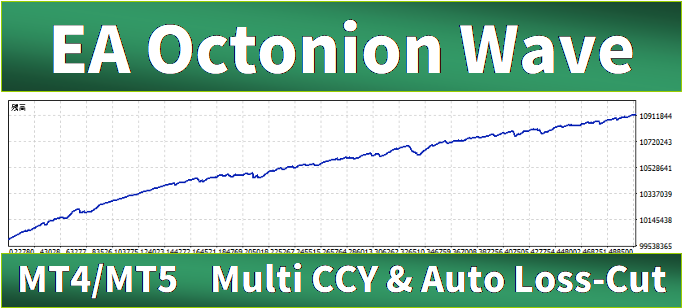
“Maybe the market will turn around.” It’s a familiar thought—and one that can leave losing positions open far longer than planned. With averaging strategies, the real challenge isn’t always opening the next trade. It’s having a rule for when to take a loss.
Octonion Wave was built around that challenge. Define rules for profit-taking and loss management, then let the EA apply them systematically instead of leaving every exit to a judgment call.
Don’t just automate entries. Give your losses an exit strategy.
Octonion Wave places trades and takes profits based on your settings. Its automated loss-management logic can also allocate a configurable portion of account profits toward closing losing positions. The goal is a more systematic approach that aims to build gains over time while managing losses along the way.
Choose your symbols, trade direction, position size, price range, and entry spacing. The EA follows the conditions you’ve defined.
Positions are closed when their configured profit-taking conditions are met.
Adjust the share of account profits used by the loss-management logic, so losing positions aren’t simply left without a plan.
Profit-taking is only half the strategy. The other half matters just as much.
Octonion Wave is designed to give you flexibility over the symbols you trade, how you manage losses, and how you evaluate a strategy before using real funds.
Set rules for closing losing positions as well as taking profits. Reduce the need to make every loss-exit decision in the heat of the moment.
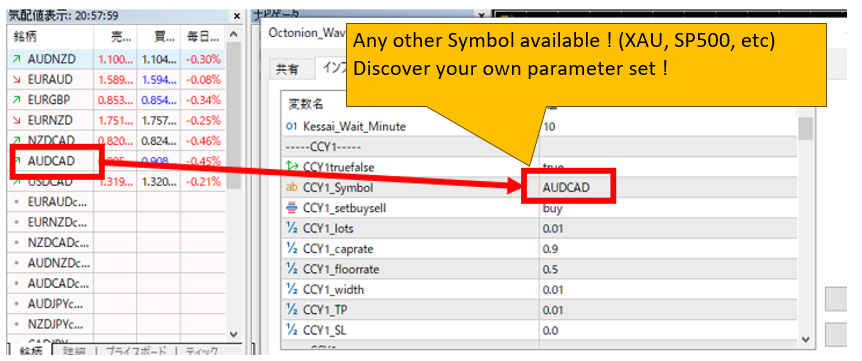
Configure tradable symbols offered by your broker in MetaTrader, including non-FX instruments where supported. Check your broker’s specifications and trading conditions.
Octonion Wave isn’t locked to a specific broker. Check compatibility with your trading conditions using a backtest and demo run before use.
When overall trading P/L approaches zero, you may consider closing positions and stopping the EA.
Set TestModeOnOff to true to log account balance, P/L, and required margin at an interval you choose. Review how different parameters affect the results.
Symbol availability and trading compatibility depend on broker specifications. Near-breakeven exit opportunities may not occur.
Choose the symbols, buy or sell direction, lot size, entry range, grid spacing, profit targets, and optional stop-loss levels that fit your strategy.
You can also configure how much of the account’s profits the automated loss-management logic uses. It’s more than setting up entries—it’s defining how your strategy handles losing positions.
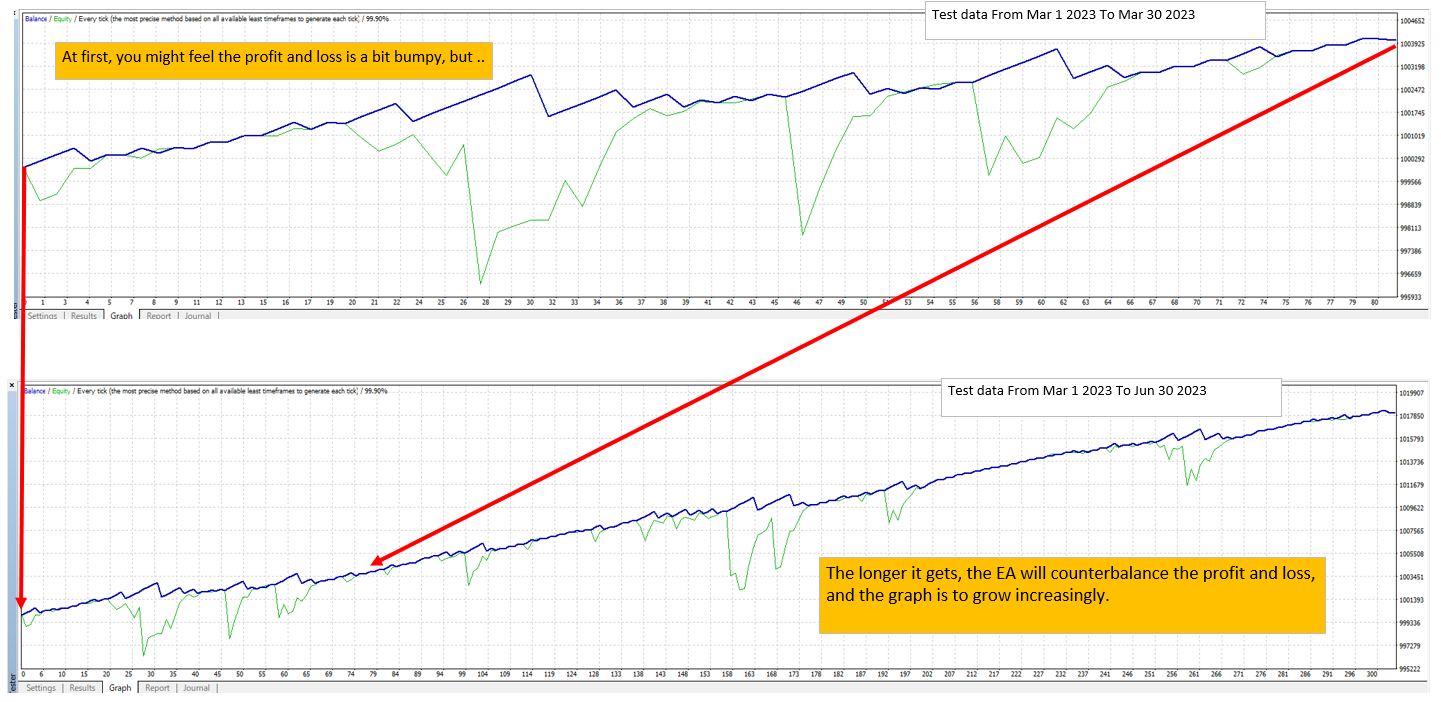
Set TestModeOnOff = true, then choose an interval in minutes with Test_Wait_Minute. During backtesting, Octonion Wave can log account balance, P/L, and required margin at the specified intervals.
Octonion Wave isn’t only about collecting small wins. It’s about combining profit-taking with systematic loss exits. Explore the strategy, examine the forward-trading record, then put it to the test on your own demo account.
 Open the forward-performance chart
Still holding on to losing positions because closing them feels too hard? Discover a different approach: automate both profit-taking and loss exits—and see how Octonion Wave behaves with your own settings.
The record covers five currency pairs—AUDCAD, NZDCAD, AUDNZD, EURGBP, and EURAUD—starting in July 2023. Octonion Wave continues to run on a demo account, and the chart is updated as results come in. For more details, see the Performance report.
Can you use it with your preferred symbols? When does the EA close losing positions? What margin does your setup require? These are questions worth answering with your own tests.
The free edition supports backtesting and demo-account trading, so you can explore different parameters and observe the EA’s behavior before purchasing the full edition.
Choose the version that works with both MT4 and MT5.
Experiment with symbols and parameters; review P/L and margin requirements.
Check entries, profit-taking, and automated loss exits under your broker’s trading conditions.
The free edition supports backtesting and demo-account trading. A paid edition is required for live accounts.
For backtesting and testing on a demo account.
Download the Free EditionFor traders considering live-account use on MetaTrader 4.
Explore the MT4 EditionFor traders considering live-account use on MetaTrader 5.
Explore the MT5 EditionCheck each product listing for the latest compatibility and license details.
Put entries, profit targets, and loss exits into rules instead of making each decision trade by trade. Try Octonion Wave with the free edition and see how it behaves with your symbols and settings.
The free edition supports backtesting and demo-account trading. A paid edition is required for live accounts.