For MetaTrader 4 / 5 | EA Parameter Editor and Set File Builder
Spend less time creating Set files. Spend more time testing.
Still changing EA parameters and saving Set files one at a time? Set File Builder lets you edit parameters in a spreadsheet-style view and create multiple Set files with different values. Pair it with Backtest Kicker to streamline the workflow from setup to sequential backtesting.
Start with the free version and try editing and creating Set files with your own EA parameters.
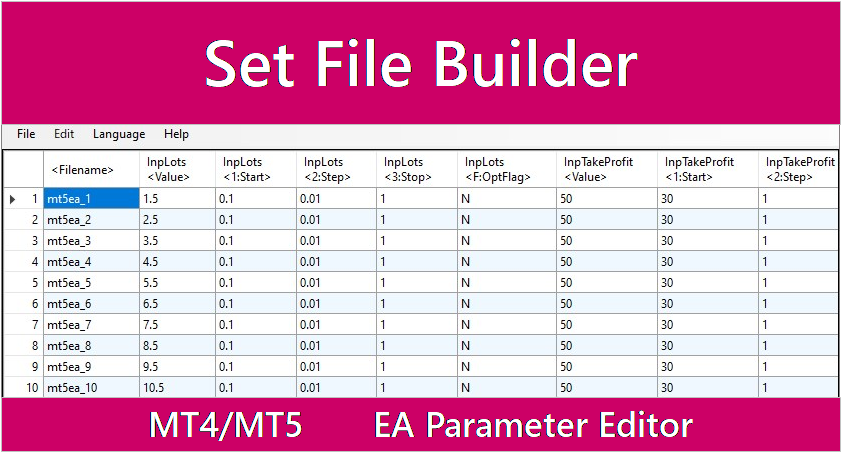
Are you still creating Set files one at a time?
You want to test an EA with slightly different parameter values. But changing the settings in MetaTrader and saving another Set file for every variation takes time and repeated effort.
As the number of conditions grows, file creation and organization can get in the way of what matters: comparing test results and deciding what to improve next.
Spend less time preparing files and move through the conditions you want to test.
Edit parameters in a table. Create multiple Set files together.
Set File Builder is a spreadsheet-style editor for MetaTrader EA parameter (Set) files. Arrange each configuration in a row, then create multiple Set files in one go.
- Edit EA parameter values in a clear, tabular view
- Duplicate rows to quickly create variations
- Set optimization flags, start, step, and stop values
- Export Set files for MT4 / MT5 and the intended use
Build parameter variations—including string values—while keeping each configuration organized. With CSV import and export, you can also edit the data in a spreadsheet application and bring it back into Set File Builder.
Spend less time creating files one by one and more time comparing conditions.
Line up your settings, then move on to testing.
Take a look at the Set File Builder interface and how it can work alongside Backtest Kicker.
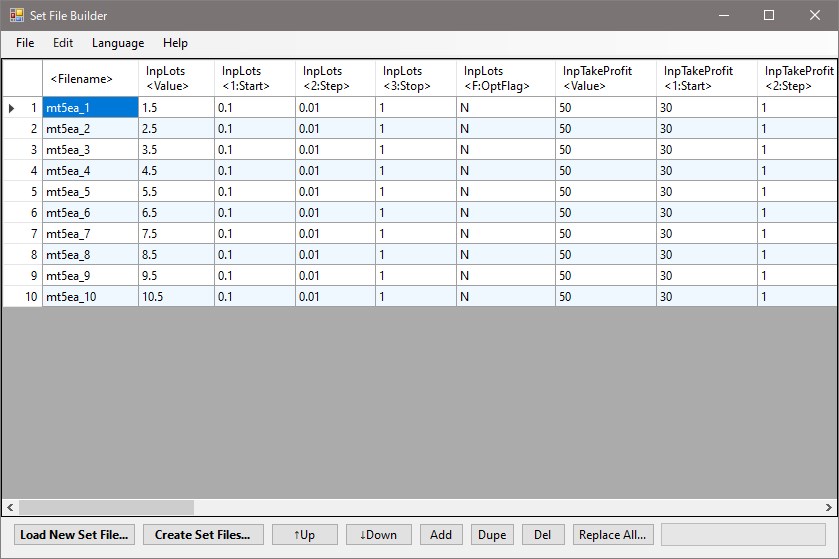
Edit EA parameters in a spreadsheet-style view
Run sequential tests with Backtest Kicker
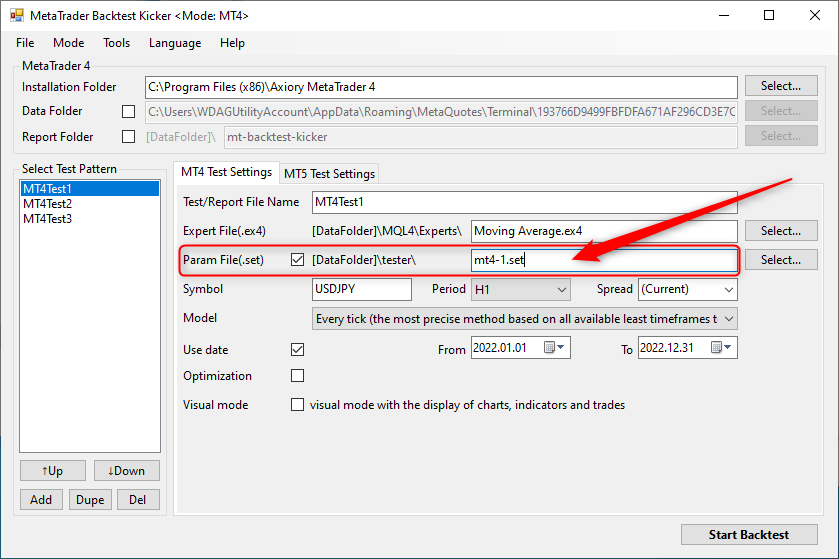
Learn more about Backtest Kicker on its landing page.
Keep your testing workflow moving—from setup to comparison.
See parameter variations side by side
Each row represents a Set file. Edit parameters in one view and keep track of how each test condition differs.
Duplicate a row to explore more conditions
Copy a configuration and adjust its values instead of recreating similar Set files from scratch.
Work across MT4 and MT5
Supports MetaTrader 4 and MetaTrader 5, with Set file format conversion and automatic format detection.
Bring CSV into your workflow
Import and export CSV files to edit your data in Excel, Google Sheets, or other tools before bringing it back.
From Set file creation to sequential backtests—all in one workflow.
Prepare parameter variations in Set File Builder and create a Set file for each condition. Then register your test setup in Backtest Kicker to run the backtests in sequence.
Move from repeatedly rebuilding settings and starting each test by hand to preparing conditions and comparing results. The more you test, the more useful it is to connect the two tools.
Create → test → compare → improve. Keep the cycle moving.
Compatibility and key features
- Verified on Windows 10 / 11
- Supports MetaTrader 4 and MetaTrader 5
- Supports int / double / string parameter types
- Configure optimization start, step, and stop values
- Automatically detect and convert Set file formats
- Import and export CSV files
See the product page for the full feature list and detailed instructions.
Turn repetitive setup into more time for testing.
From creating parameter variations to running backtests, Set File Builder and Backtest Kicker help reduce repetitive setup so you can focus on comparing results and improving your strategy.
Start with the free version and try editing and creating Set files with your own EA parameters.