
[MT4/MT5] Octonion Wave [Auto loss-cut Namping EA]
A new EA for sales !
An EA that grows your profit slowly and slowly by automatically balancing profit and loss.
Customizable parameters and applicable to any symbol!
👉️You can download it here. Try it out!
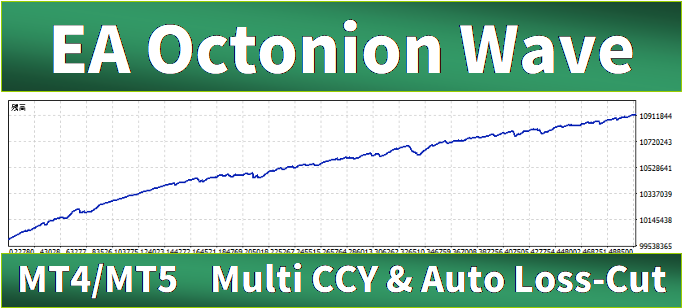
What is “Octonion Wave” ?
See Profit and Loss report of this EA here.
Octonion Wave is a multi-currency pair EA that aims to earn profits by performing loss-cut in a certain rule.
This EA aims to reduce the “I can’t loss-cut my unrealized losses !”, which tends to be a bottleneck when controling Namping. The EA increases profits by ruled stop-losses. By this rule, the user does not need to think about entry timing and when to loss-cut every day.

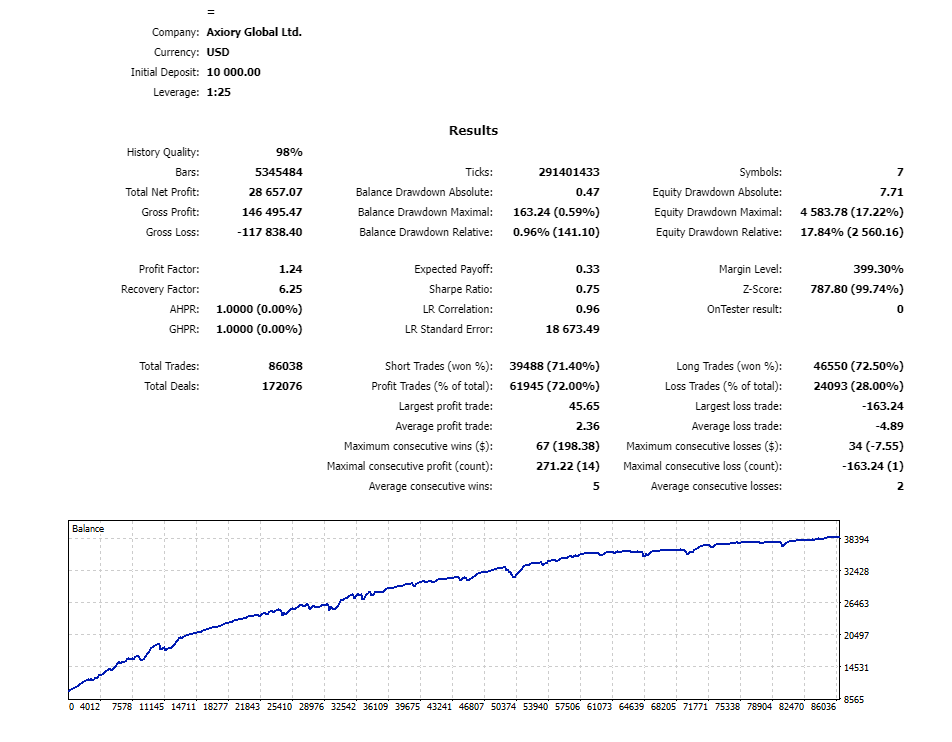
At first, you might feel the profit and loss is a bit bumpy, but the longer it gets, the EA will counterbalance the profit and loss, and the graph is to grow increasingly.

Features of the EA
The Features of the EA is as follows.
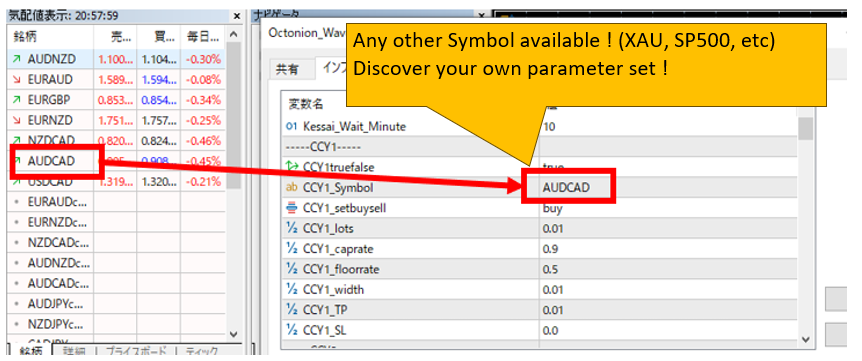
- Can be used in any Symbol
You can set up any currency pair or Symbol as long as your broker allows auto trading on the Metatrader.
*Please make sure that you have back-tested the EA by yourself before operating with a new parameter. A free version is also available, so please use the free version if you would like to try out backtesting before purchasing. The free version can only be used on a demo account. Otherwise, it is the same as the paid version.
- Can be used on any MT4/MT5 providing broker.
This is not an EA that specifies a broker. It can be used basically on any MT4/MT5 providing broker that allows MT4 auto trading. To be sure, we recommend that you always perform a back test and a demo account forward test before starting a real trade. - There exists a manual EA remove point.
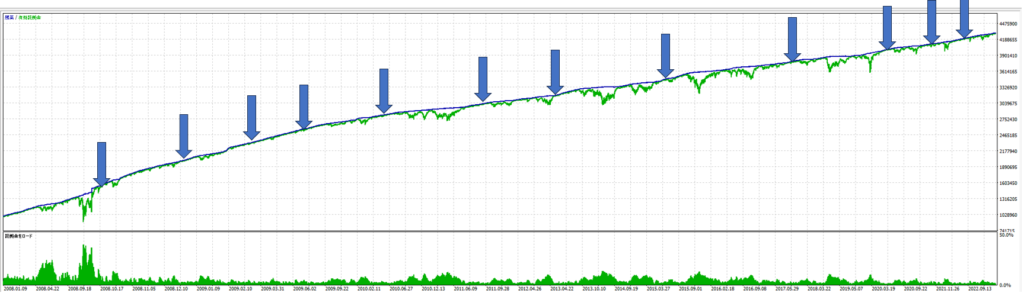
The Octonion Wave’s SL logic allows for the occasional point of almost +/- 0 profit/loss, and if you want to stop the EA, you can use an exit strategy that aims for a moment close to +/- 0.
- There is a log output mode for backtesting.
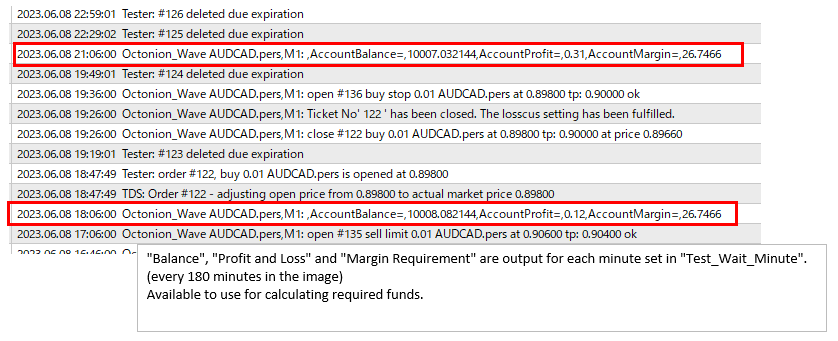
Balance, profit/loss and margin requirements can be output during backtesting.
If the TestModeOnOff flag is changed to true, the ‘balance’, ‘profit/loss’ and ‘margin requirements’ at the time are output for each specified number of minutes. This can be used for back-testing when applying new settings.
Where can I download the EA ?
There is a MT4 version, MT5 version, and a FREE edition.
| What I can do | MT4 version | MT5 version | Free edition (MT4,MT5) |
|---|---|---|---|
| Do a backtest | ✅️ | ✅️ | ✅️ |
| Activate in DEMO account | ✅️ | ✅️ | ✅️ |
| Activate in LIVE account | ✅️ | ✅️ | - |
👉️Download MT4 version ⇒ GogoJungle
👉️Download MT5 version ⇒ GogoJungle
👉️Download Free edition (MT4,MT5) ⇒ GogoJungle
⇒If you want to test before buying, try the Free Edition. (Free Edition can only be activated in demo accounts. Other than that, same as paid version.)
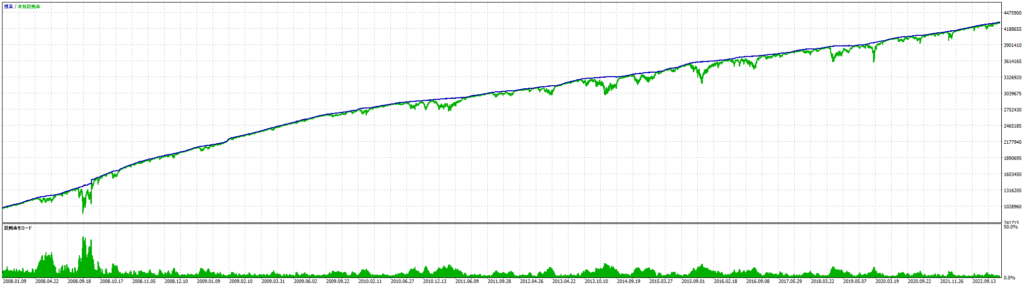
EA Performance Report - Here is the performance of the EA default parameter.
↓this is AUDCAD, NZDCAD, AUDNZD, EURGBP, EURAUD combined performance.

*This chart is 5 symbols combined, but a chart in the sales page(the download page in GogoJungle) is based on running only one currency AUDCAD, based on sales platform restrictions.
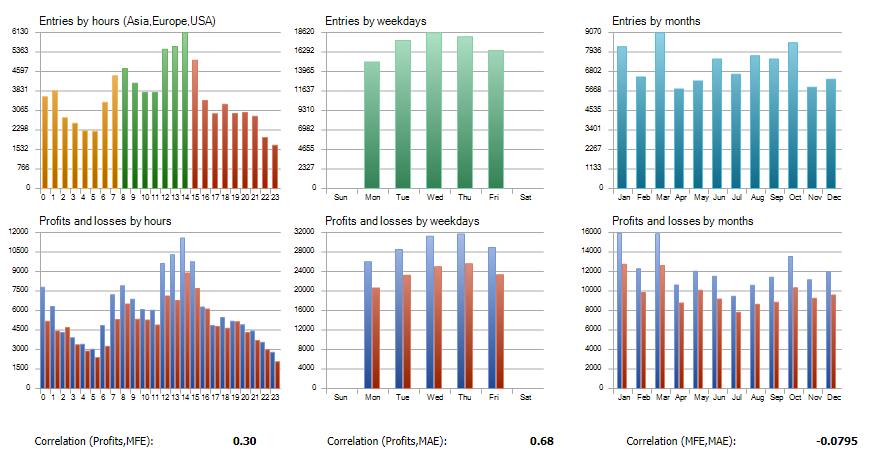
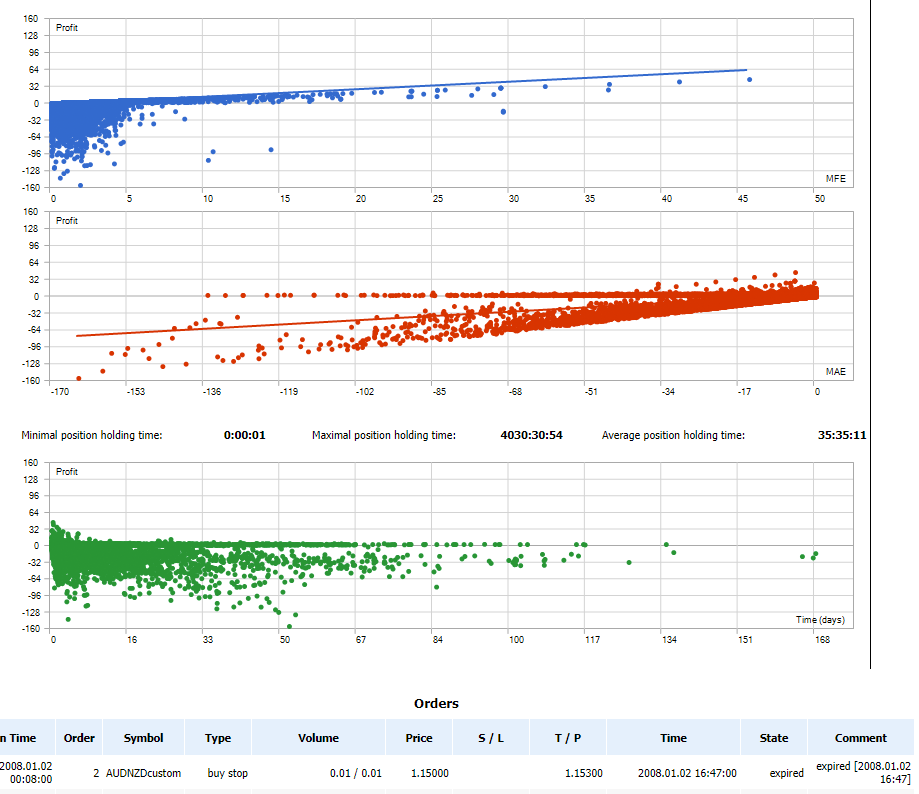
Backtest Result
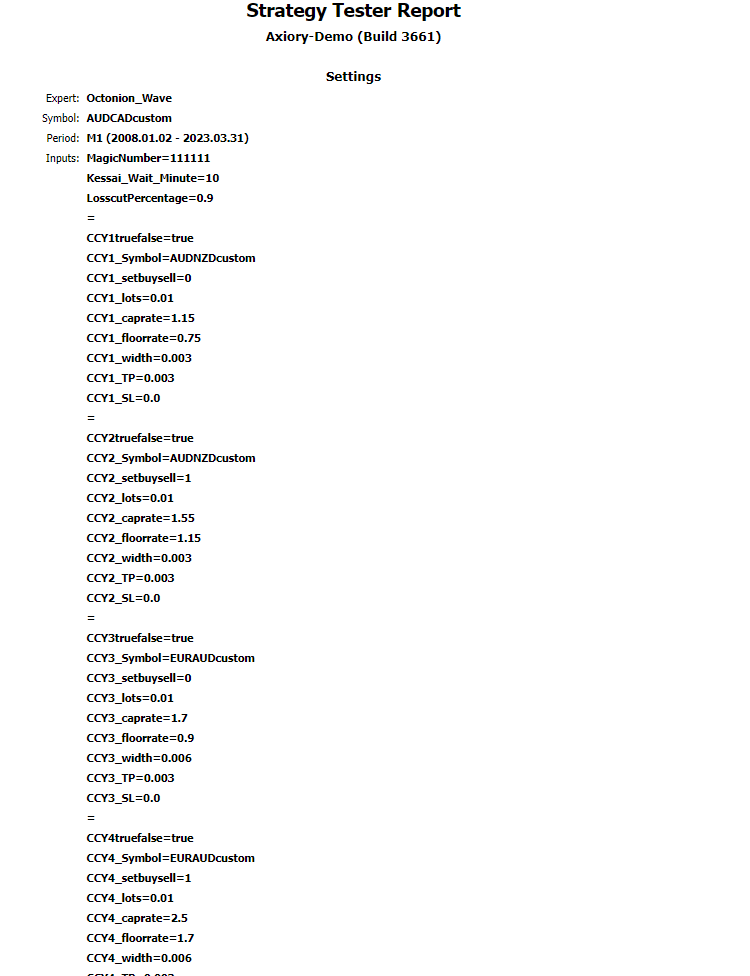
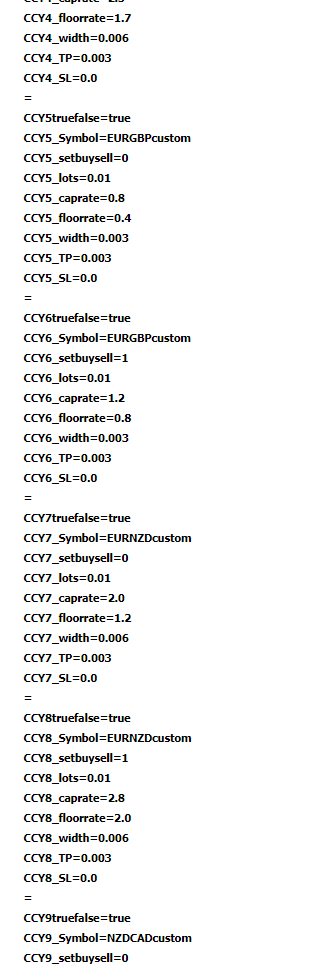
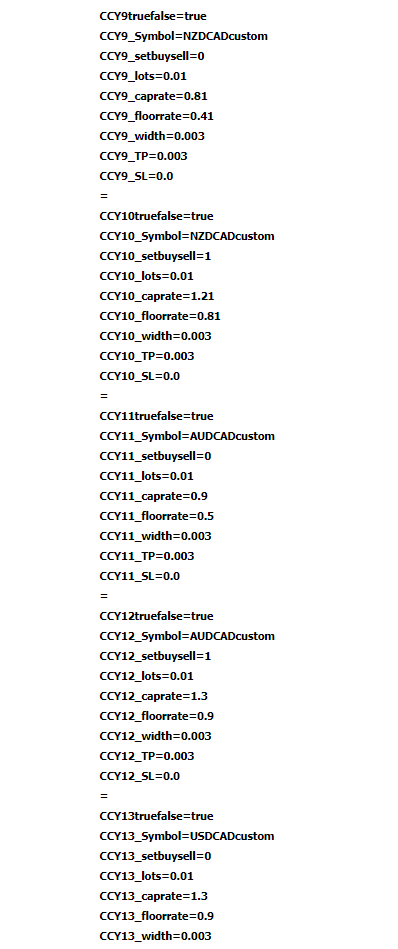
A backtest from 2008 to 2023 March is as follows.
*Only MT5 test result because MT4 cannot conduct a multi-currency pair backtest. MT5/MT4 logic is the same.
Cautions to use this EA
Octonion Wave is an EA that manages funds inside a single account. Not per EA.
Please do not use another EA in a same account.
If other EAs exist in the same account, it may not operate properly even if the Magic Number is different.
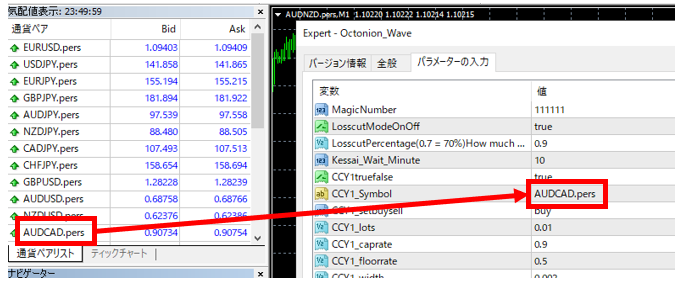
Please make sure that the Symbol name in the EA’s parameter settings is the same as that displayed on the brokerage’s Metatrader before use.
If the currency pair name is different, trading will not start.
Parameter settings. Inside () is the default setting.
You might feel there are many parameters, but only nine types are used repeatedly.
- MagicNumber (111111)
Magic Number of this EA. - LosscutModeOnOff(true)
Select On/Off of losscut logic. - Position_Control_Wait_Minute(10)
Frequency to check if there are any open positions existing that can be loss-cut.
10 = 1 time per 10 minutes.
This loss-cut will be conducted from below LosscutPercentage setting.
*The minimum value is 1, but if it is too short, the processing load may be higher. - LosscutPercentage(0.7 = 70%) How much account profit% to be used for losscut ?(0.9)
Set how much percentage of profits across in the account you would like to use for loss-cut.
Example: if 0.9 is set, 90% of profits will be used to cut losses.
If a profit of JPY 10000 is made, a loss of JPY 9000 will be used to loss-cut. (There might be a slight difference depending on the situation of each account and market conditions) - CCY1truefalse(true)
Select whether or not to trade the Symbol set as CCY1.
true → Trade this currency pair
false → Do not trade this currency pair.
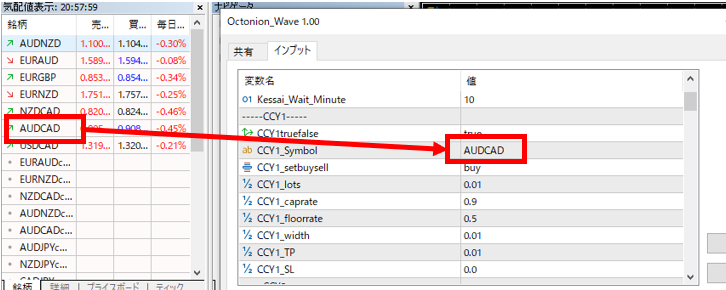
※When the parameters are changed, open positions and orders that have already been executed remain as they are. Please delete manually if necessary. - CCY1_Symbol(AUDCAD)
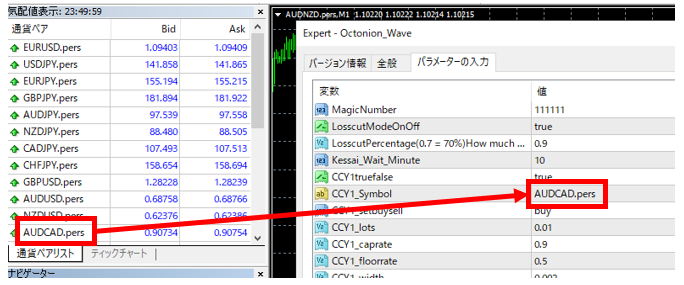
Set the Symbol to set as CCY1.
- CCY1_setbuysell(buy)
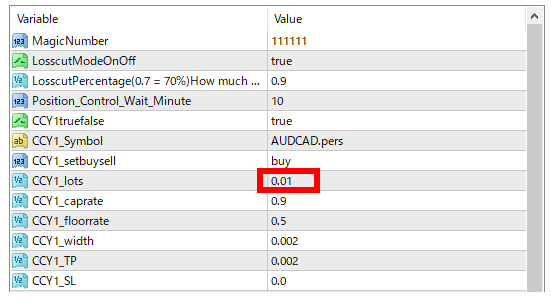
Choose whether to namping CCY1 with a BUY or Sell. - CCY1_lots(0.01)
Enter the number of lots per transaction of CCY1 - CCY1_caprate(0.9)
Enter the maximum rate of nampin for CCY1.
*Once the rate is over this number, no more namping will be done. - CCY1_floorrate(0.5)
Enter the minimum rate of nampin for CCY1.
*Once the rate is under this number, no more namping will be done. - CCY1_width(0.002)
Enter the nanpin width of CCY1. - CCY1_TP(0.002)
Sets the profit price for each open interest in case of nanpinning in CCY1. - CCY1_SL(0)
Sets the loss cut price for each open position.
*Apart from this SL setting, the loss-cut logic for the whole EA will be conducted. - Default settings of CCY2 and so on is as follows.
CCY2truefalse(true)
CCY2_Symbol("AUDCAD")
CCY2_setbuysell(sell)
CCY2_lots(0.01)
CCY2_caprate(1.3)
CCY2_floorrate(0.9)
CCY2_width(0.002)
CCY2_TP(0.002)
CCY2_SL(0)

CCY3truefalse(false)
CCY3_Symbol("NZDCAD")
CCY3_setbuysell(buy)
CCY3_lots(0.01)
CCY3_caprate(0.81)
CCY3_floorrate(0.41)
CCY3_width(0.002)
CCY3_TP(0.002)
CCY3_SL(0)

CCY4truefalse(false)
CCY4_Symbol("NZDCAD")
CCY4_setbuysell(sell)
CCY4_lots(0.01)
CCY4_caprate(1.21)
CCY4_floorrate(0.81)
CCY4_width(0.002)
CCY4_TP(0.002)
CCY4_SL(0)

CCY5truefalse(false)
CCY5_Symbol("AUDNZD")
CCY5_setbuysell(buy)
CCY5_lots(0.01)
CCY5_caprate(1.15)
CCY5_floorrate(0.75)
CCY5_width(0.002)
CCY5_TP(0.002)
CCY5_SL(0)

CCY6truefalse(false)
CCY6_Symbol("AUDNZD")
CCY6_setbuysell(sell)
CCY6_lots(0.01)
CCY6_caprate(1.55)
CCY6_floorrate(1.15)
CCY6_width(0.002)
CCY6_TP(0.002)
CCY6_SL(0)

CCY7truefalse(false)
CCY7_Symbol("EURGBP")
CCY7_setbuysell(buy)
CCY7_lots(0.01)
CCY7_caprate(0.8)
CCY7_floorrate(0.4)
CCY7_width(0.003)
CCY7_TP(0.003)
CCY7_SL(0)

CCY8truefalse(false)
CCY8_Symbol("EURGBP")
CCY8_setbuysell(sell)
CCY8_lots(0.01)
CCY8_caprate(1.2)
CCY8_floorrate(0.8)
CCY8_width(0.003)
CCY8_TP(0.003)
CCY8_SL(0)

CCY9truefalse(false)
CCY9_Symbol("EURAUD")
CCY9_setbuysell(buy)
CCY9_lots(0.01)
CCY9_caprate(1.7)
CCY9_floorrate(0.9)
CCY9_width(0.006)
CCY9_TP(0.006)
CCY9_SL(0)

CCY10truefalse(false)
CCY10_Symbol("EURAUD")
CCY10_setbuysell(sell)
CCY10_lots(0.01)
CCY10_caprate(2.5)
CCY10_floorrate(1.7)
CCY10_width(0.006)
CCY10_TP(0.006)
CCY10_SL(0)
Get started
How to get started using default settings.
Download EA from download site.
Download MT4 version ⇒ GogoJungle
Download MT5 version ⇒ GogoJungle
Download Free edition (MT4,MT5) ⇒ GogoJungleTo confirm EA using initial parameters, please use a broker that allows 0.01 lots.
- Set EA to any chart
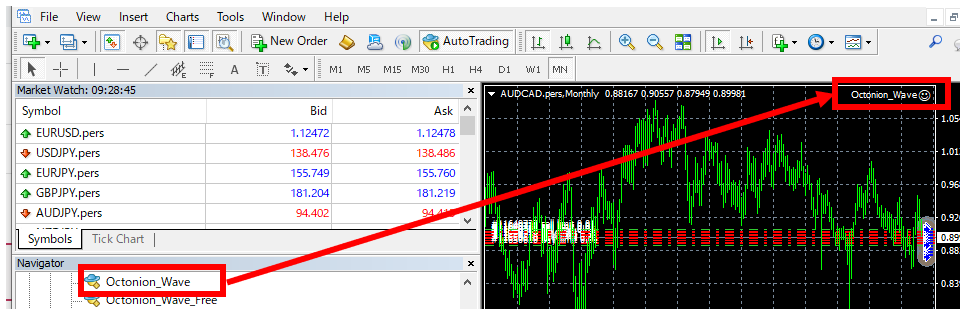
- Confirm “AUDCAD”, “NZDCAD”, “AUDNZD”, “EURGBP”, “EURAUD” are all displayed in Market Watch window.
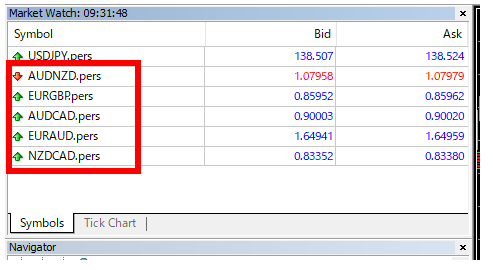
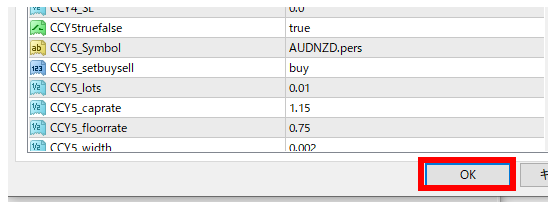
- Set symbol of CCY1-CCY10 just as it is shown in Metatrader screen. (5 Symbols * buy&sell = 10 parameters to set)
If Metatrader shows “AUDCAD” -> imput “AUDCAD”
If Metatrader shows “AUDCAD.pers” -> imput “AUDCAD.pers”
If Metatrader shows “AUDCADxxxx” -> imput “AUDCADxxxx”


- Change CCY1-CCY10 ‘false’ -> ’true’.
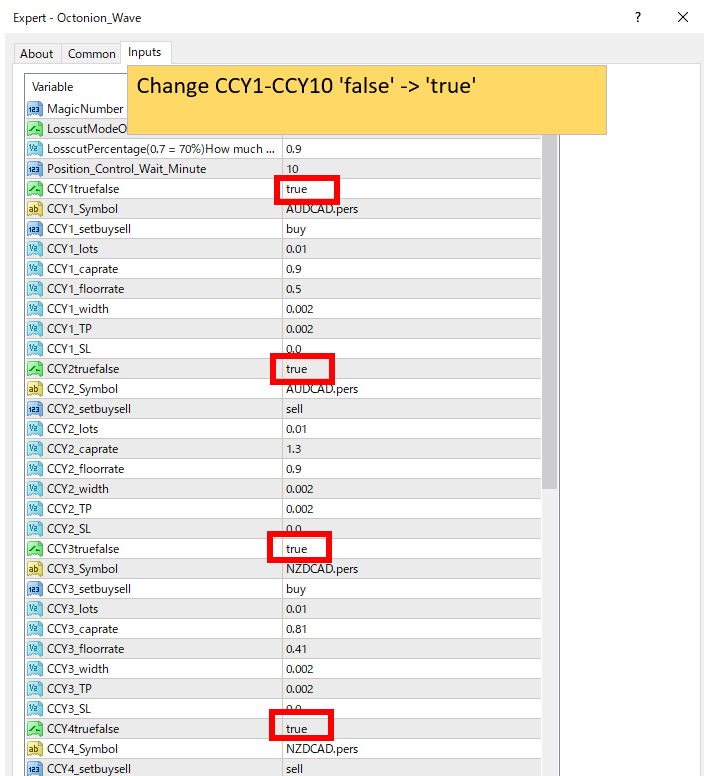
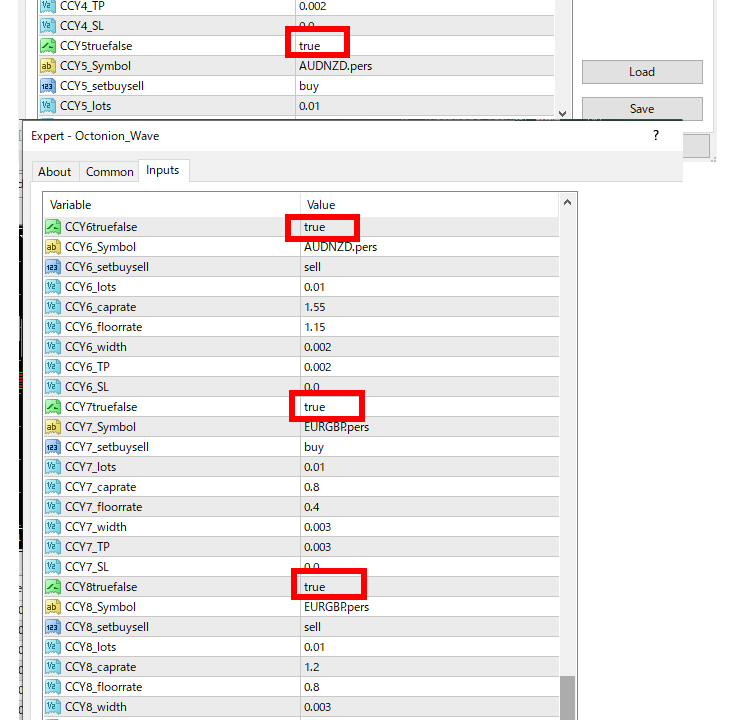
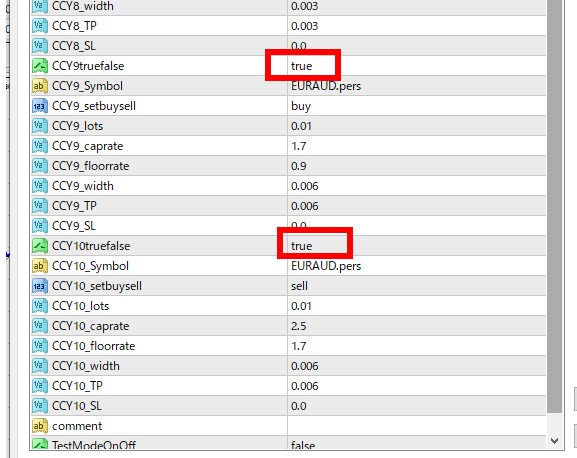
- Press “OK” and get started.
- Ordinarily, several orders should be generated within 10-20 minutes.
